Your whole organisation, in one place.
HQ is the system we built to run our own studio: clients, projects, quotes, invoices, team, admin and a client portal, with an AI assistant that prepares the work but never sends anything without you. Now we tailor it to fit your business or not-for-profit, your way of working and your customer journey.
Businesses and not-for-profits.
Both are home turf for us.
We work with commercial clients through Life Growth Digital and with charities, CICs and community groups through Nectar, our not-for-profit brand. HQ was built to run both, side by side, without ever mixing them up.
Agencies, studios, consultancies and service firms
From first enquiry to final invoice, and every project and person in between.
- Leads, proposals with online signing, deposits and pay-now links
- Project boards, time tracking and profit per client
- Client portal for approvals, files, invoices and feedback
- White-label work for partner agencies and their end clients
Charities, CICs, community groups and social enterprises
Less admin, clearer records and more time for the people you're there for.
- Your language, not ours: we rename and reshape it around how you work
- Projects, volunteers, freelancers and timesheets in one place
- Policies everyone has read, deadlines, insurance and records for your trustees
- Not-for-profit rates through Nectar
Shaped around your workflow
and your customer journey.
Off-the-shelf tools make you work their way. We start with how your organisation actually runs, from the first time someone finds you to the day they recommend you, and set HQ up to match.
Your customer journey
We map each stage, from discover and buy to onboard, build, launch and recommend, and set up the emails, reminders and next steps at every one. Automations prepare drafts; a person always presses send.
Only what you need
Over 50 parts of HQ switch on and off. Keep it simple with clients, projects and invoices, or switch on shoots, kit, company admin and more as you grow. Nothing is lost when you switch something off.
Your brand, your tools
Your name, logo and colours on HQ and the client portal. Connected to the tools you already use: Microsoft 365 or Google Workspace, Xero, online payments, WhatsApp and your website forms.
Everything that runs your day,
in one calm place.
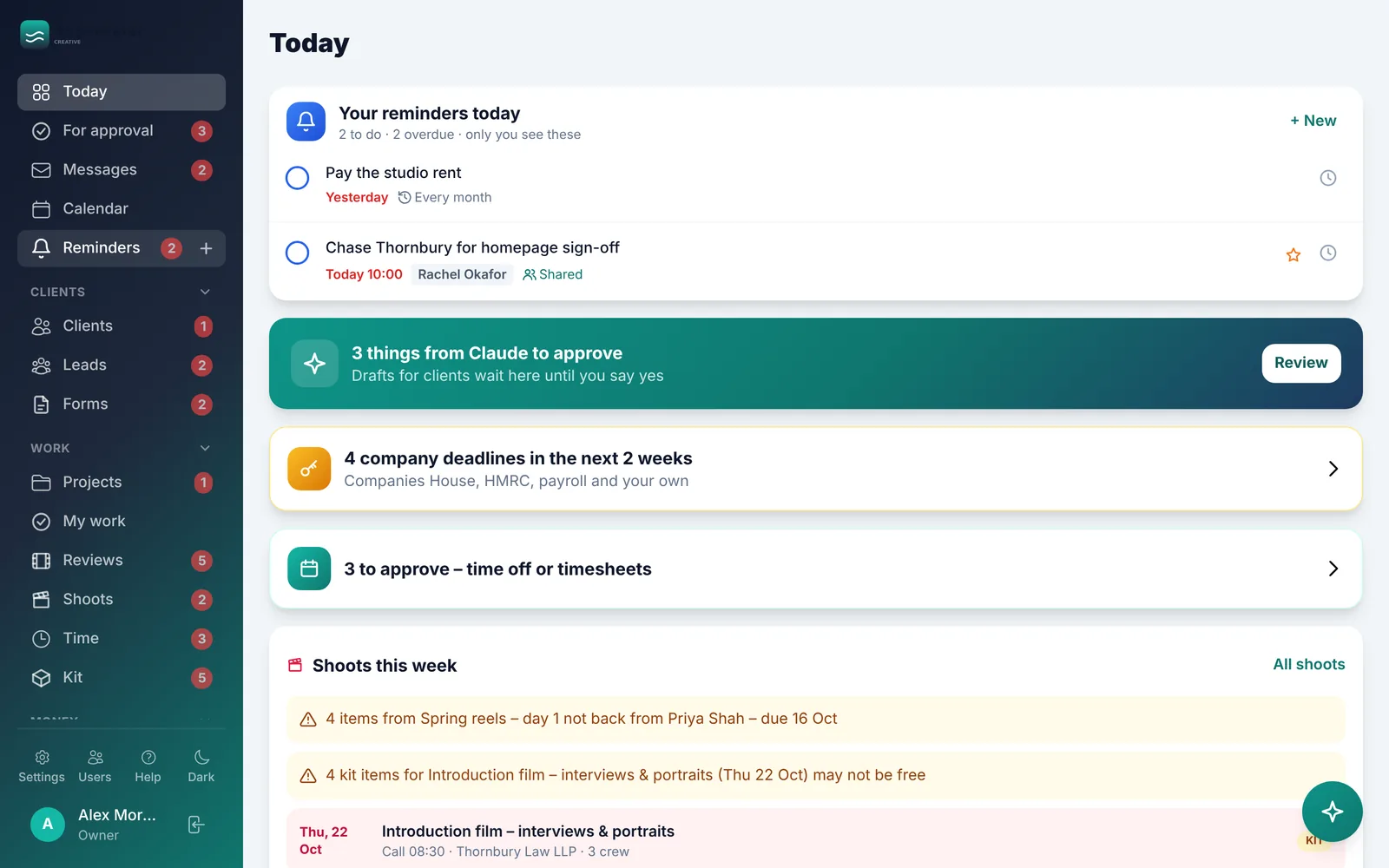
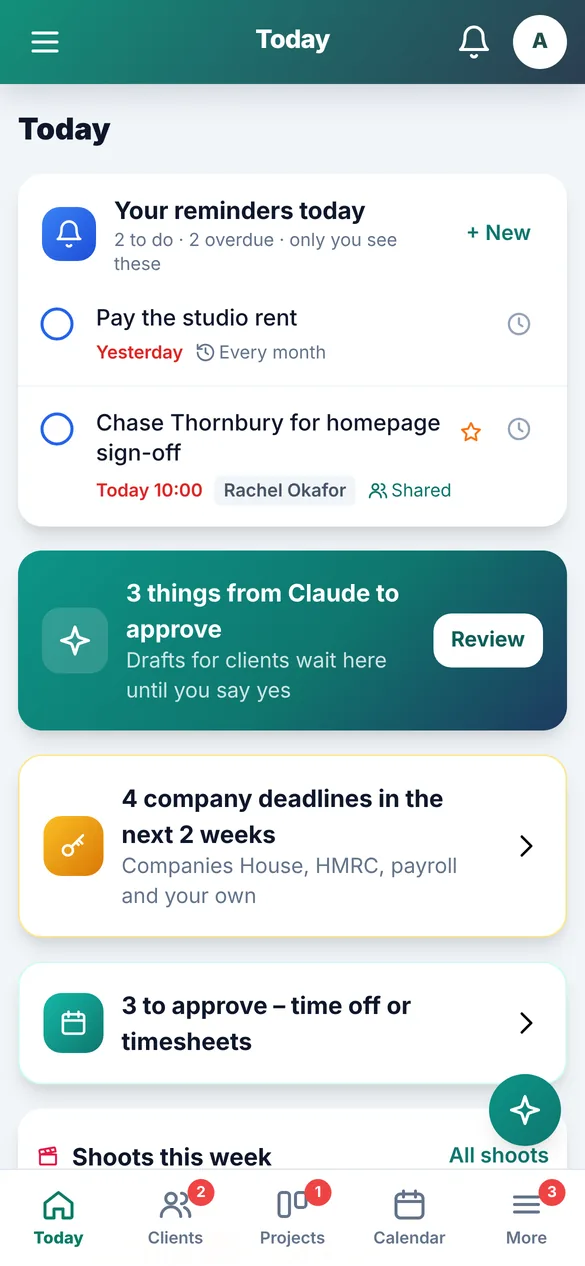
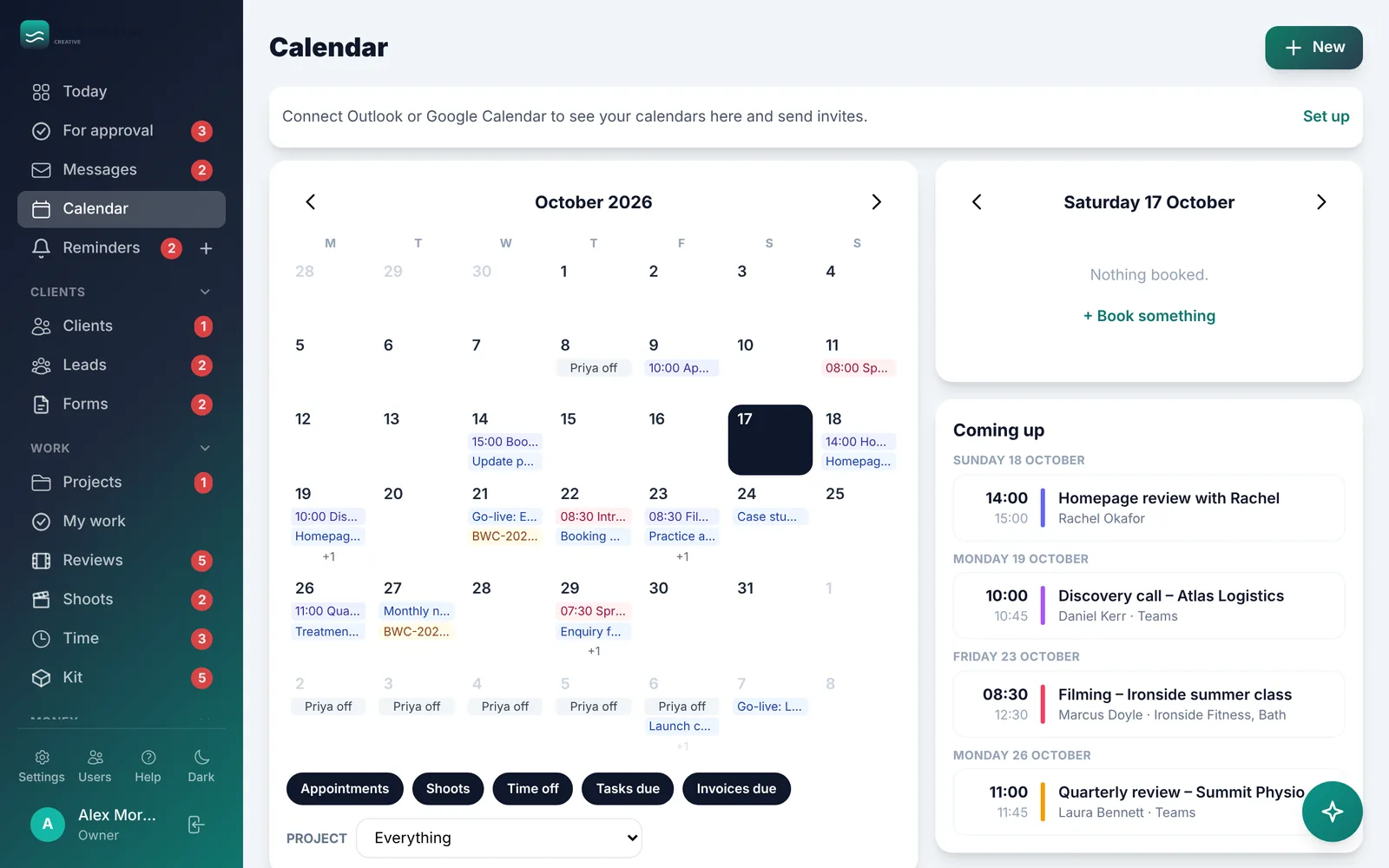
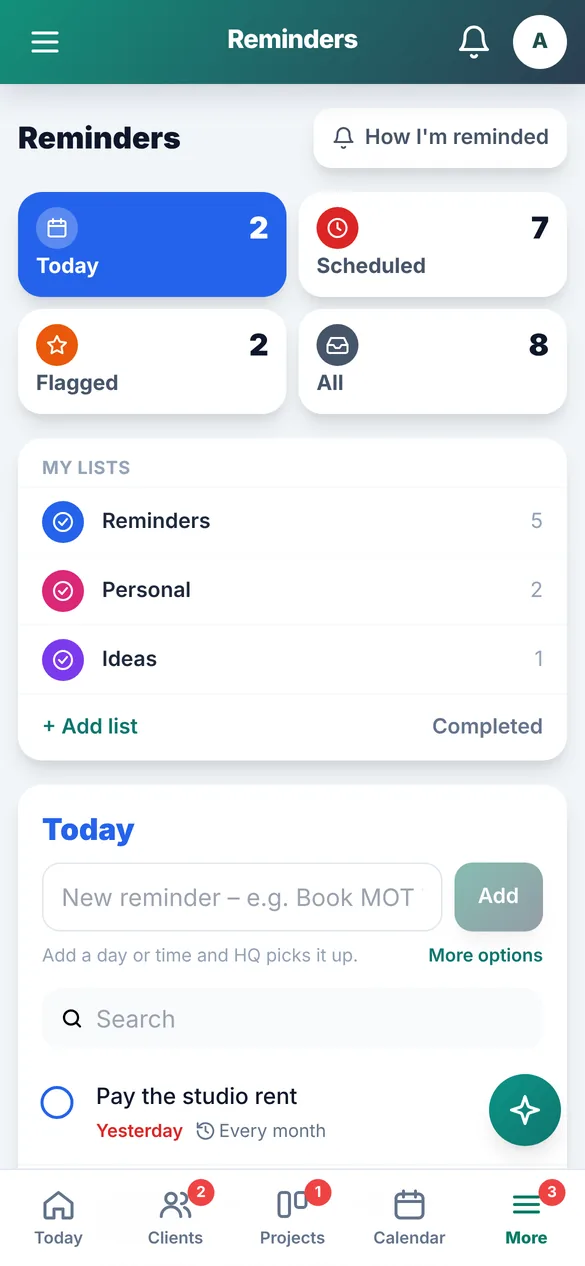
These screens are from our demo, using made-up companies. Yours would carry your own name, branding and wording.
Start every day knowing exactly what needs you
One page shows what's waiting for approval, what's due, who's off, what's overdue and how money is looking. On your phone, it works like an app from your home screen.
- Personal reminders with phone, WhatsApp or email nudges
- Calendar synced with Outlook or Google, with Teams or Meet links
- Company deadlines: Companies House, HMRC, payroll, insurance
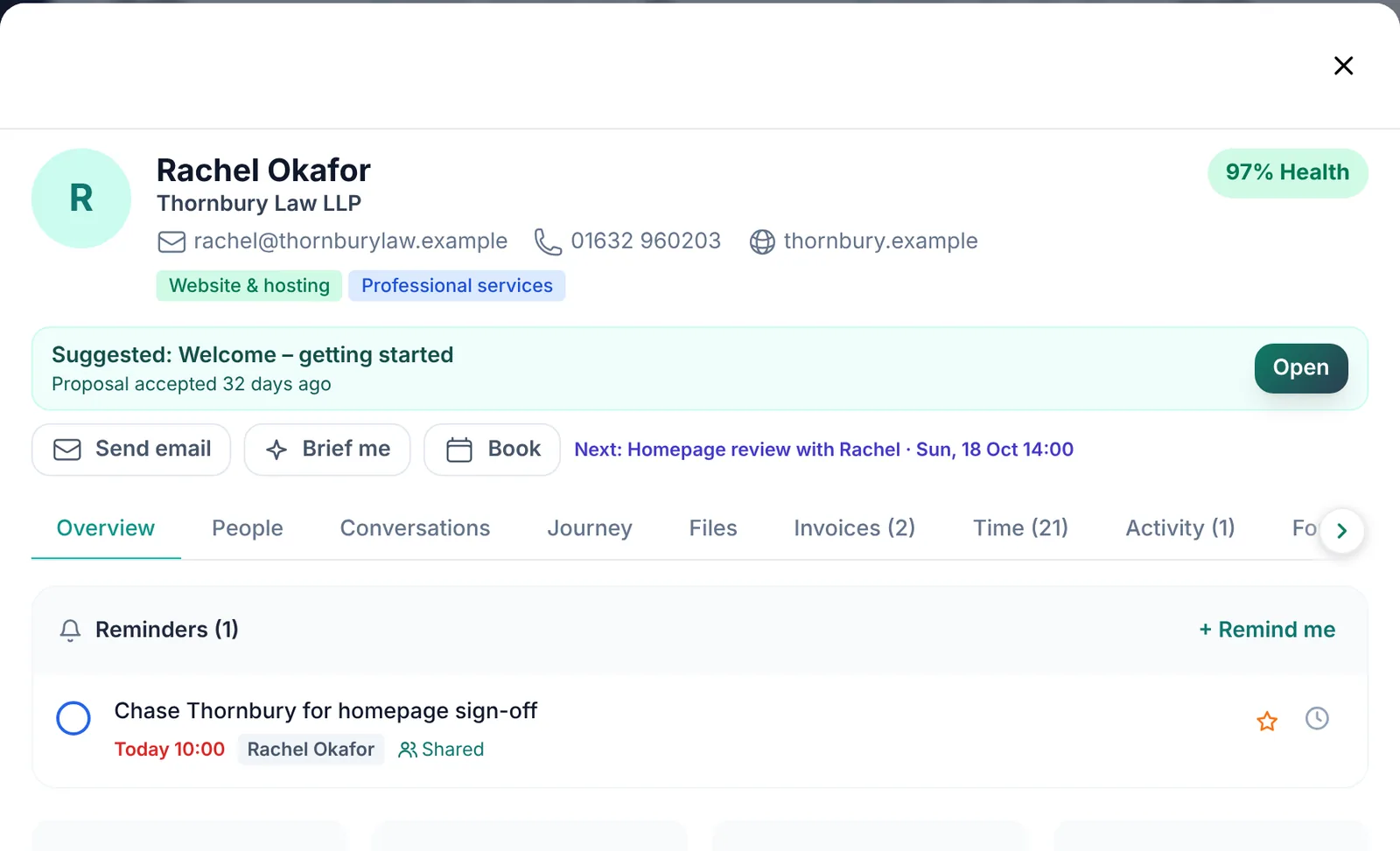
Every client, the whole story, on one page
People, emails, portal messages, files, invoices, time and where they are in your journey. Emails are logged automatically from Microsoft 365 or Gmail, and HQ suggests the next step for each client.
- Leads and website form enquiries land straight in HQ
- Client health scores flag who needs attention
- Signed website forms arrive with their PDFs, filed on the client
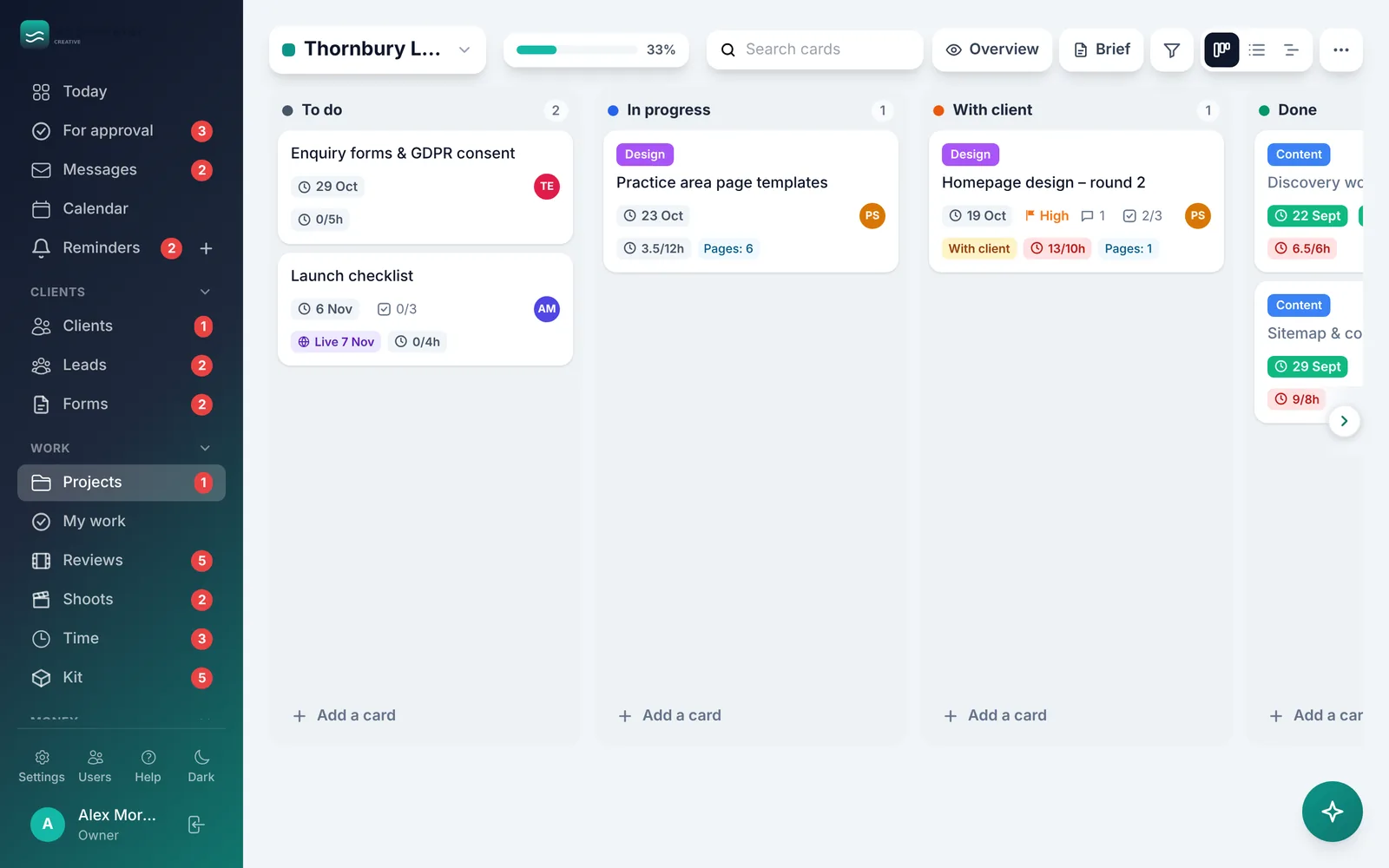
Boards your whole team will actually use
Drag-and-drop project boards with checklists, files, due dates and time on each card. My Work shows everyone what's theirs across every project, and the project overview shows hours against budget.
- Timer, timesheets and freelancer pay, in any currency
- Holidays, approvals and who's off, at a glance
- Google Drive and OneDrive files linked to clients and cards
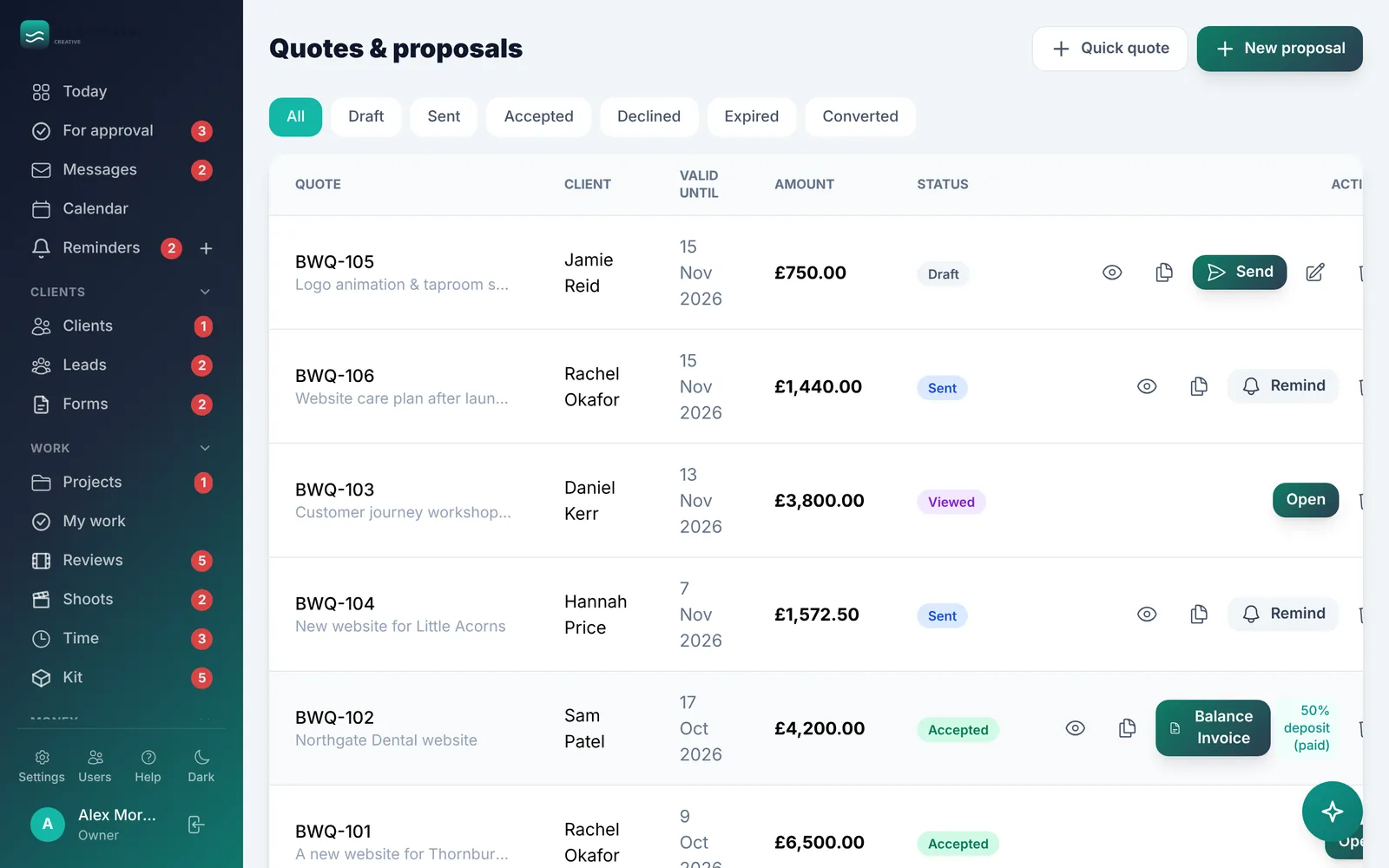
Get paid faster, with far less chasing
Send proposals clients can sign online, take deposits, and send invoices with a pay-now link. Polite reminders are prepared for you, recurring invoices run themselves, and you can see cash flow weeks ahead.
- Receipts emailed in are read and turned into expenses
- Profit by client, renewals and regular costs, mileage
- Works with Xero, or exports a year-end pack for your accountant
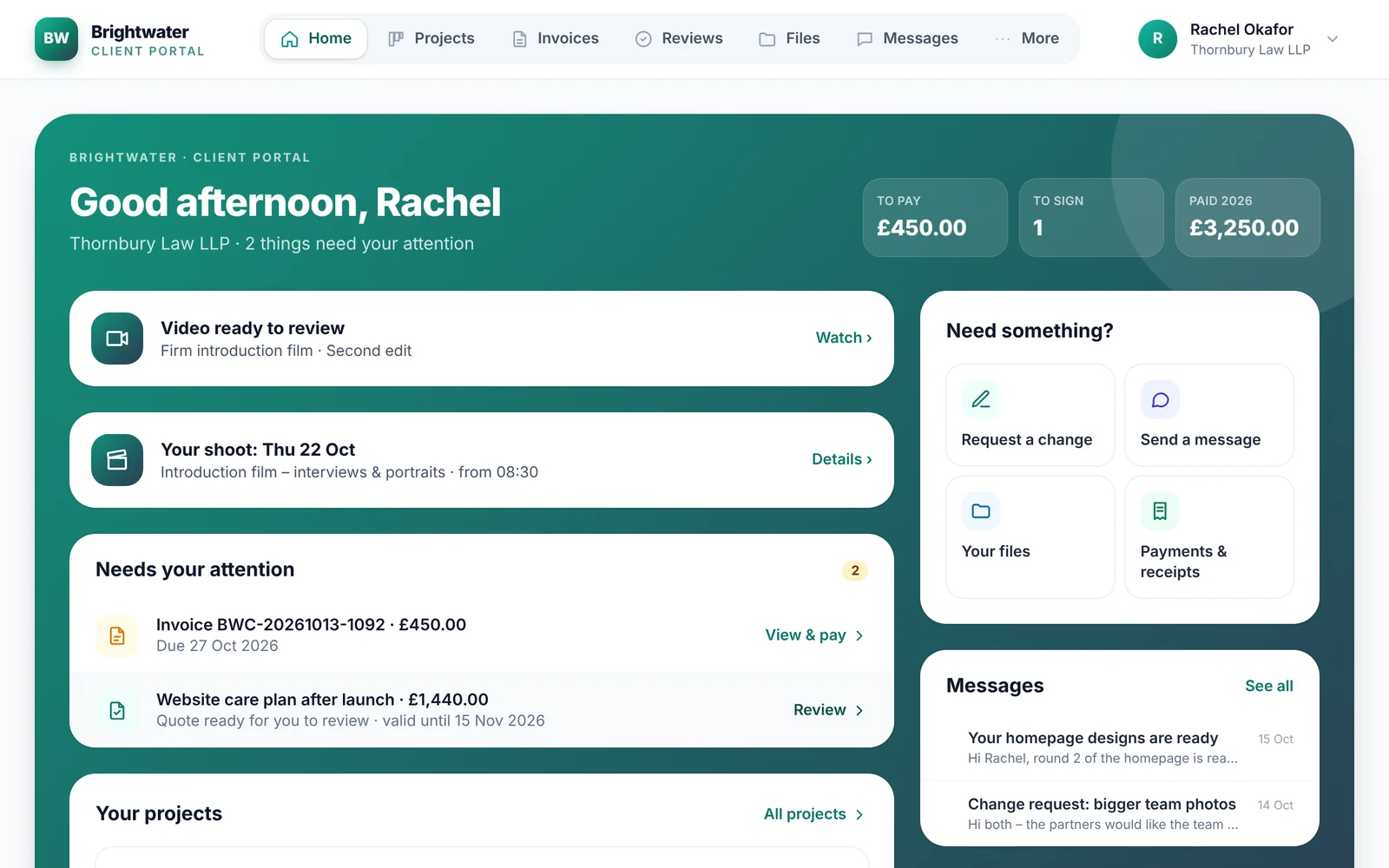
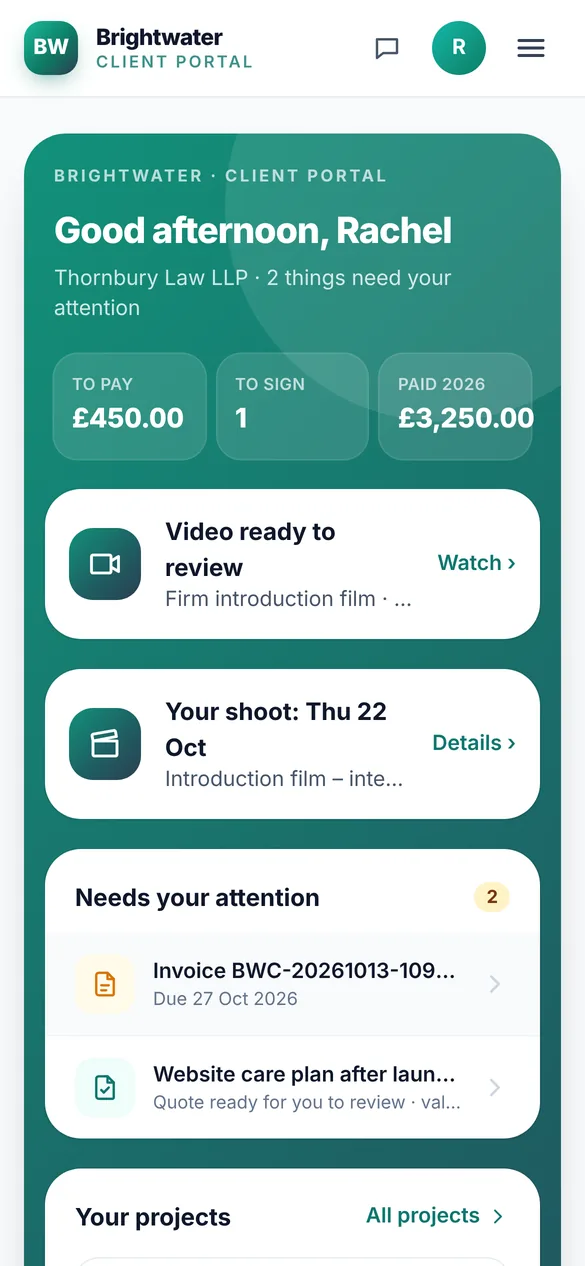
A home for your clients, with your name on it
Clients sign in to see their projects, approve work, pay invoices, download files and message you. Video, design, content and website feedback all happen in one place, so nothing gets lost in email threads.
- Comments on the exact moment of a video or spot on a design
- A feedback button for websites and apps in testing
- Pay-now links that work without a login
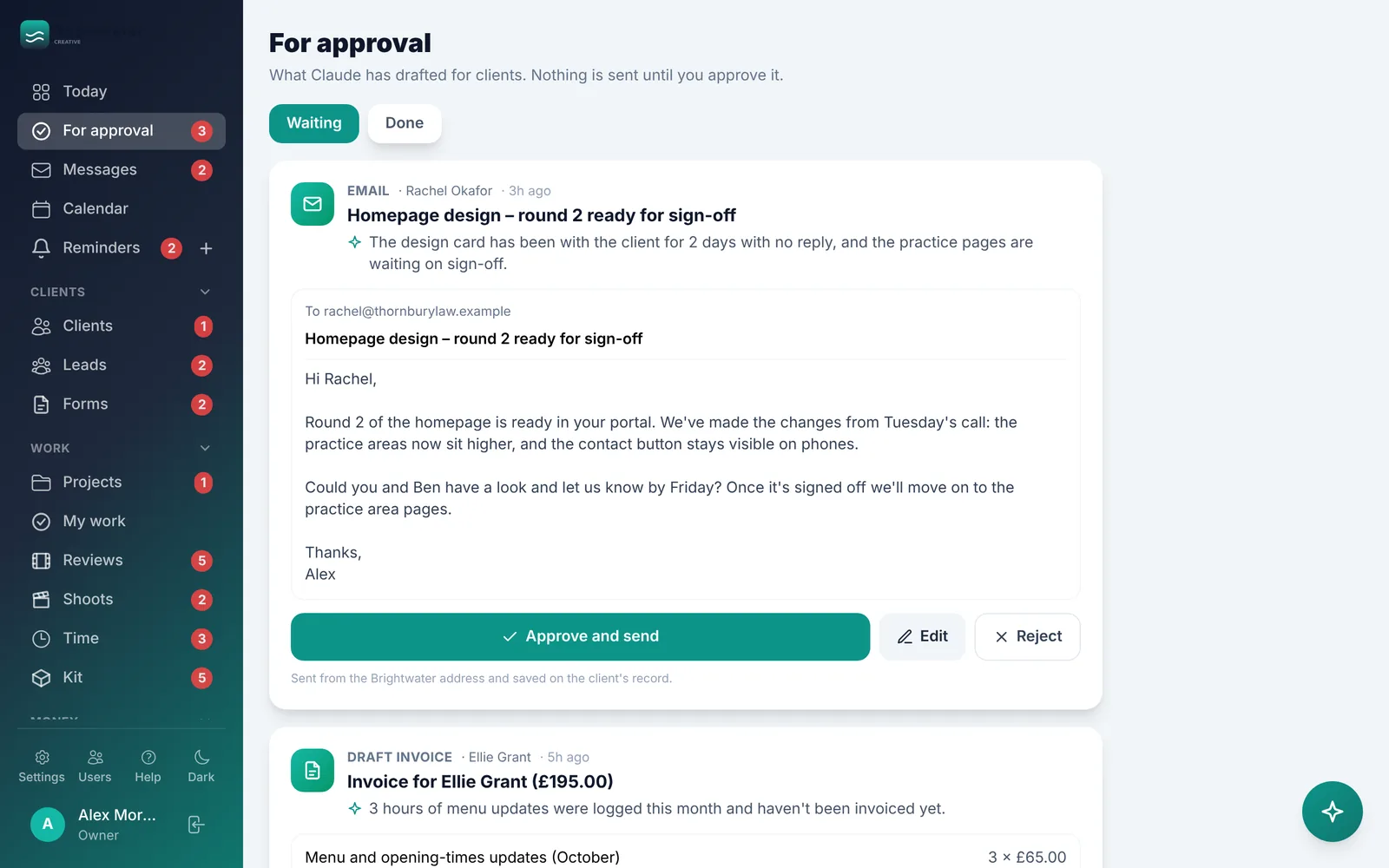
An assistant that drafts. You decide.
Ask HQ anything ("brief me before my call", "what's overdue?") in the app or on WhatsApp. It drafts emails, portal replies, invoices and bookings, and puts them in For approval. Nothing reaches a client until a person approves it.
- Follows each person's permissions, so it only sees what they can
- Approve, change or reject drafts from your phone
- Learns from the drafts you reject
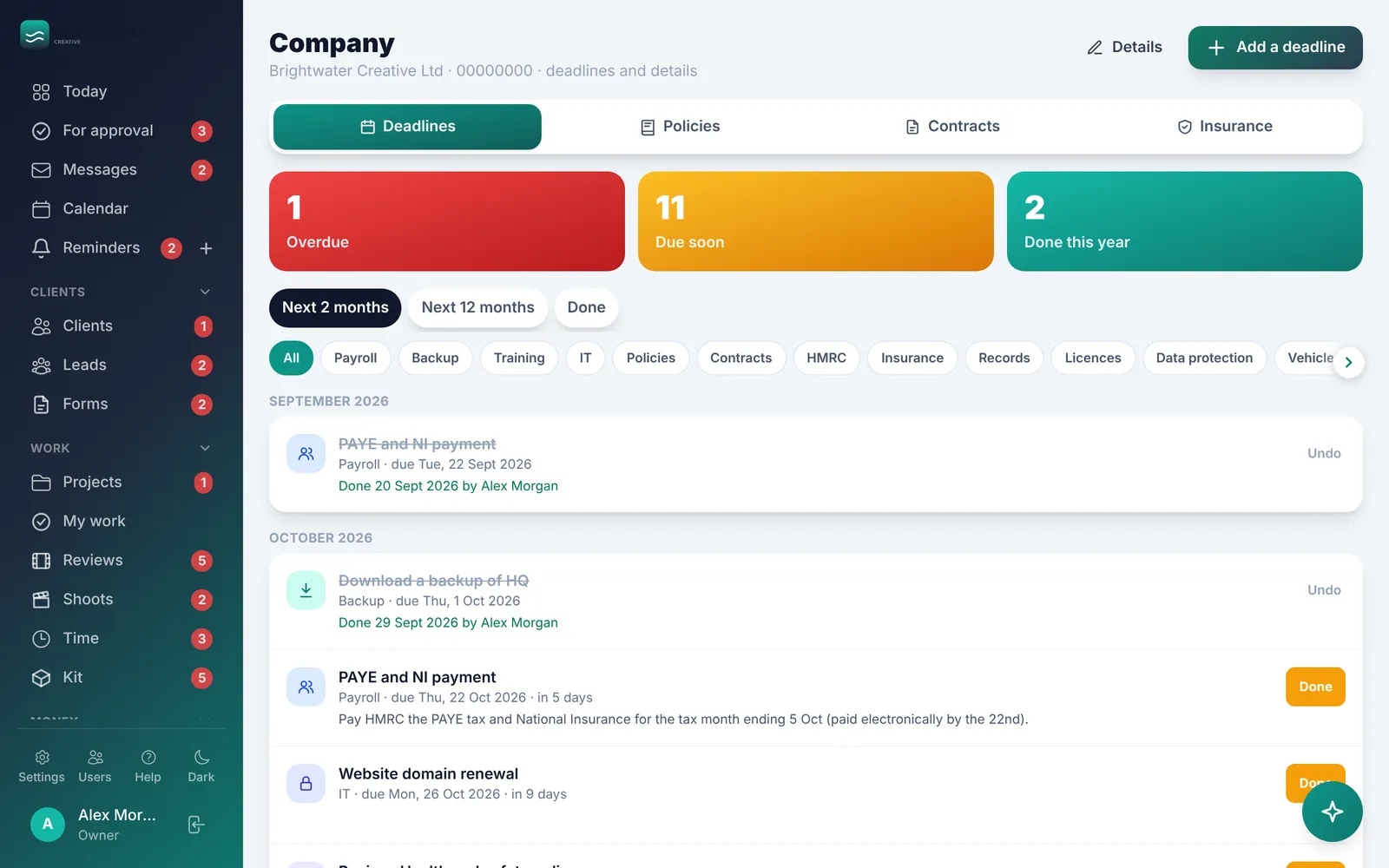
The admin that keeps you safe, done properly
HQ works out your Companies House, HMRC, VAT and payroll deadlines and reminds you before each one. Keep policies people have read and signed, contracts, insurance, training, licences and checklists in one place, ready for your accountant, trustees or an audit.
- Freelancer agreements for the UK and overseas, signed in HQ
- Shoot paperwork: risk assessments, releases and call sheets
- Full backup and an emergency access sheet
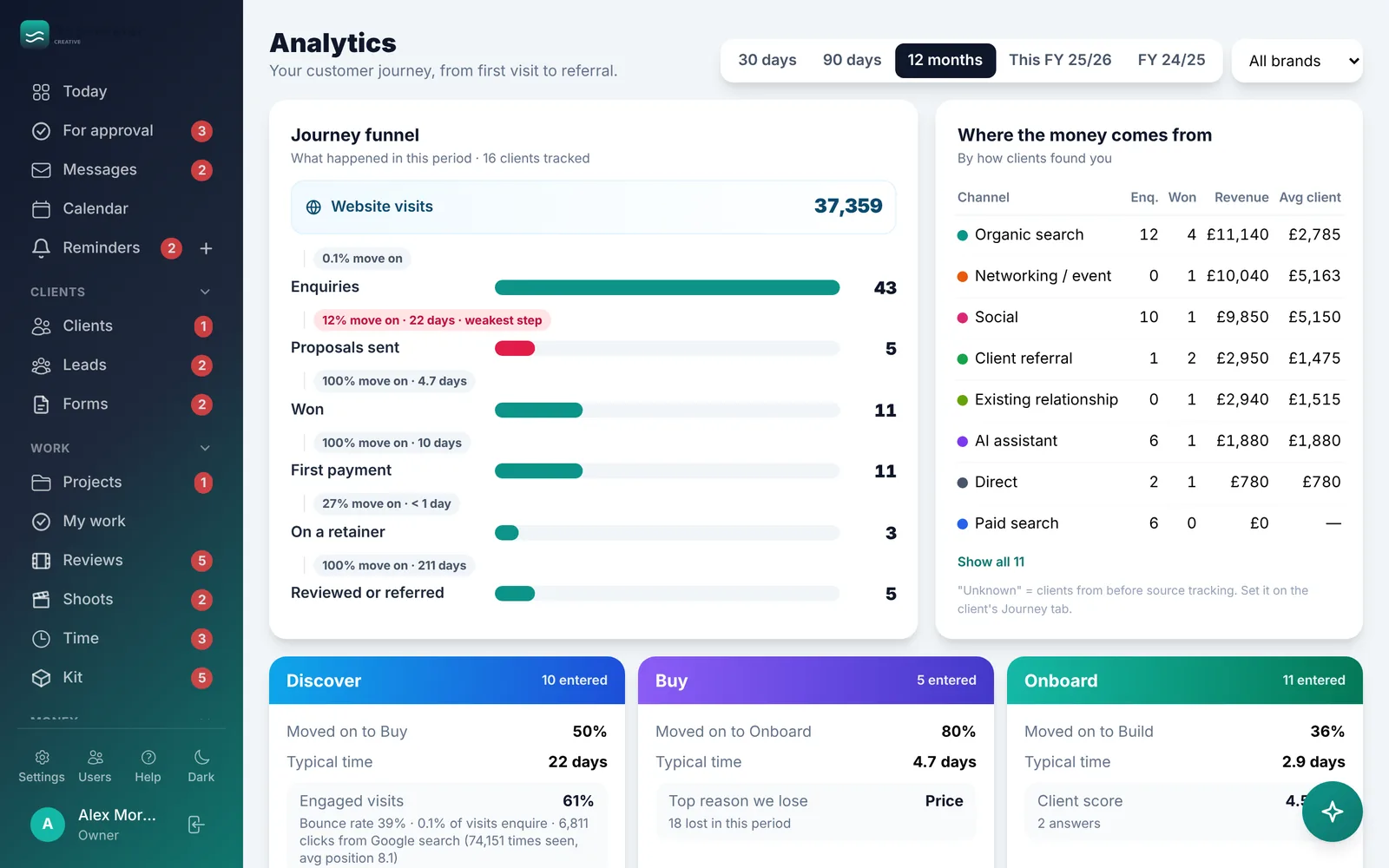
See your customer journey in numbers
From website visit to enquiry, proposal, paid and referral: where people come from, where they drop off, and which channels bring the clients worth having. Website and Google search data sit alongside your own.
- Goals by service, brand or the whole organisation
- Reports and a year-end pack in a couple of clicks
Switch on what you need.
Every part below can be switched on or off, renamed and shaped to fit how you work.
Clients
- Client pages and people
- Leads and enquiries
- Website forms and signed forms
- Customer journey stages
- Journey emails (drafted for you)
- Client health
- White-label partners
Work
- Project boards and My Work
- Time tracking and timesheets
- Video, design and content review
- Website and app feedback
- Shoots, call sheets and kit
- Holidays and time off
- Personal reminders
Money
- Quotes and signed proposals
- Invoices, deposits, pay-now links
- Payment reminders
- Recurring invoices
- Expenses and receipts by email
- Cash flow, profit, renewals
- Xero and year-end pack
Company
- Deadlines worked out for you
- Policies and who's read them
- Contracts and insurance
- Logs, licences, training, checklists
- Director's corner
- Backup and emergency sheet
- Team roles and permissions
Client portal
- Projects and progress
- Invoices and payments
- Files and messages
- Approvals and feedback
- Proposals and shoots
- Your policies
Assistant
- Ask HQ in the app
- HQ on WhatsApp
- Drafts for approval
- Briefings before calls
- Works with Claude
Connections
- Microsoft 365 and Google Workspace
- Outlook and Google Calendar
- OneDrive, SharePoint, Google Drive
- Stripe, GoCardless and Square
- Google Analytics and Search Console
Anywhere
- Works on phone, tablet and computer
- Add to your home screen like an app
- Phone notifications
- Dark mode
From your first call to fully running.
We're a digital and customer experience studio, so this is what we do every day: understand how people move through your organisation, then build the system around it.
Discover
We learn how you work today and map your customer or beneficiary journey, stage by stage.
Shape
We choose the parts you need, your wording, roles and permissions, and design your journey emails and reminders.
Connect
We set up your branding, email, calendar, accounts, payments and website forms, and bring your data across.
Launch
We train your team, put HQ on everyone's phone and stay close in the first weeks.
Grow
As you grow, we switch on new parts and build the extra pieces your organisation needs.
Your data stays yours.
Your own private copy
Your HQ runs separately from everyone else's, with its own database, on UK servers.
2-step sign-in and roles
Choose exactly what each person can see and do. Every change is in the activity log.
Nothing sent behind your back
Automations and the assistant only prepare drafts. A person approves everything that reaches a client.
Good to know
Is this a product we just sign up to?
No. HQ is set up for you, by us. We tailor the parts, wording, journey and connections to your organisation, so it fits from day one rather than you bending to fit it.
We're a charity. Is it right for us?
Yes. We work with charities, CICs, community groups and social enterprises through Nectar, our not-for-profit brand, at not-for-profit rates. We'll shape HQ around your services, projects and the people you support, and use your language throughout.
Do we need Microsoft 365 or Google Workspace?
It works with either, or neither. Connect one to log emails and sync calendars; without one, everything else still works.
Can you bring our existing data across?
Yes. Clients, contacts, projects, invoices and more can be imported from spreadsheets and most common tools. We'll check what you have on the first call.
Does it work on phones?
Yes. HQ and the client portal work on any phone, tablet or computer. Add HQ to your home screen and it opens like an app, with notifications for your reminders.
How much does it cost?
It depends on the parts you need and the size of your team, so we'll give you a clear price after a free call. There are levels to suit small teams through to busy organisations, and not-for-profit rates through Nectar.
See HQ shaped around you.
Book a free 30-minute demo. We'll show you HQ, ask how your organisation works, and tell you honestly whether it's a fit.
- A live tour with your kind of work in mind
- Businesses and not-for-profits both welcome
- No obligation, no hard sell